2.4 Update
In this lab we will update our OpenShift 4 cluster to the latest stable errata release.
Updating an OpenShift 4 cluster is a fully automated process that is managed by several cluster operators. If the cluster has Internet access, updates are provided over-the-air, otherwise you need to synchronize the new images to an internal registry prior to starting the update or use a pull-through registry.
Check “Updating a restricted network cluster” for details on updating a cluster in a disconnected environment.
The update process continuously rolls out new releases of all cluster operators and verifies their readiness before continuing. If a cluster operator is stuck in a non-ready state, the update does not proceed and manual intervention might become necessary.
After all relevant cluster operators are updated successfully, the machine config operator updates the configuration of the master and worker nodes and - if a newer version is available - replaces the nodes’ operating system image (Red Hat Enterprise Linux CoreOS).
Task 2.4.1: Updating the cluster
The cluster update can be performed from the web console or the CLI. Choose the one you prefer to do or will most likely perform in the future.
Updating from the web console
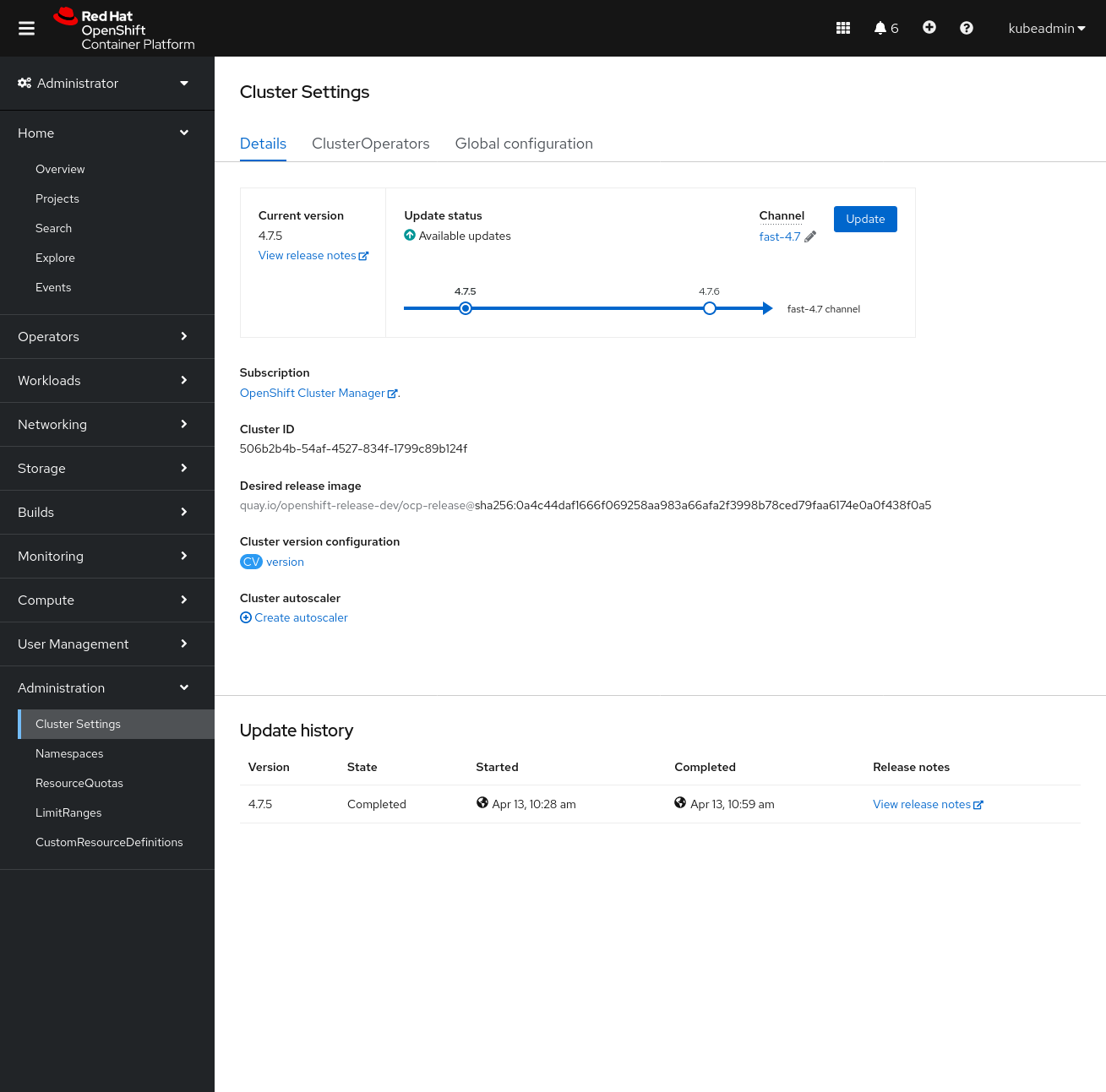
Navigate to Administration, then Cluster Settings to get started. You will see the available update paths in the graph:
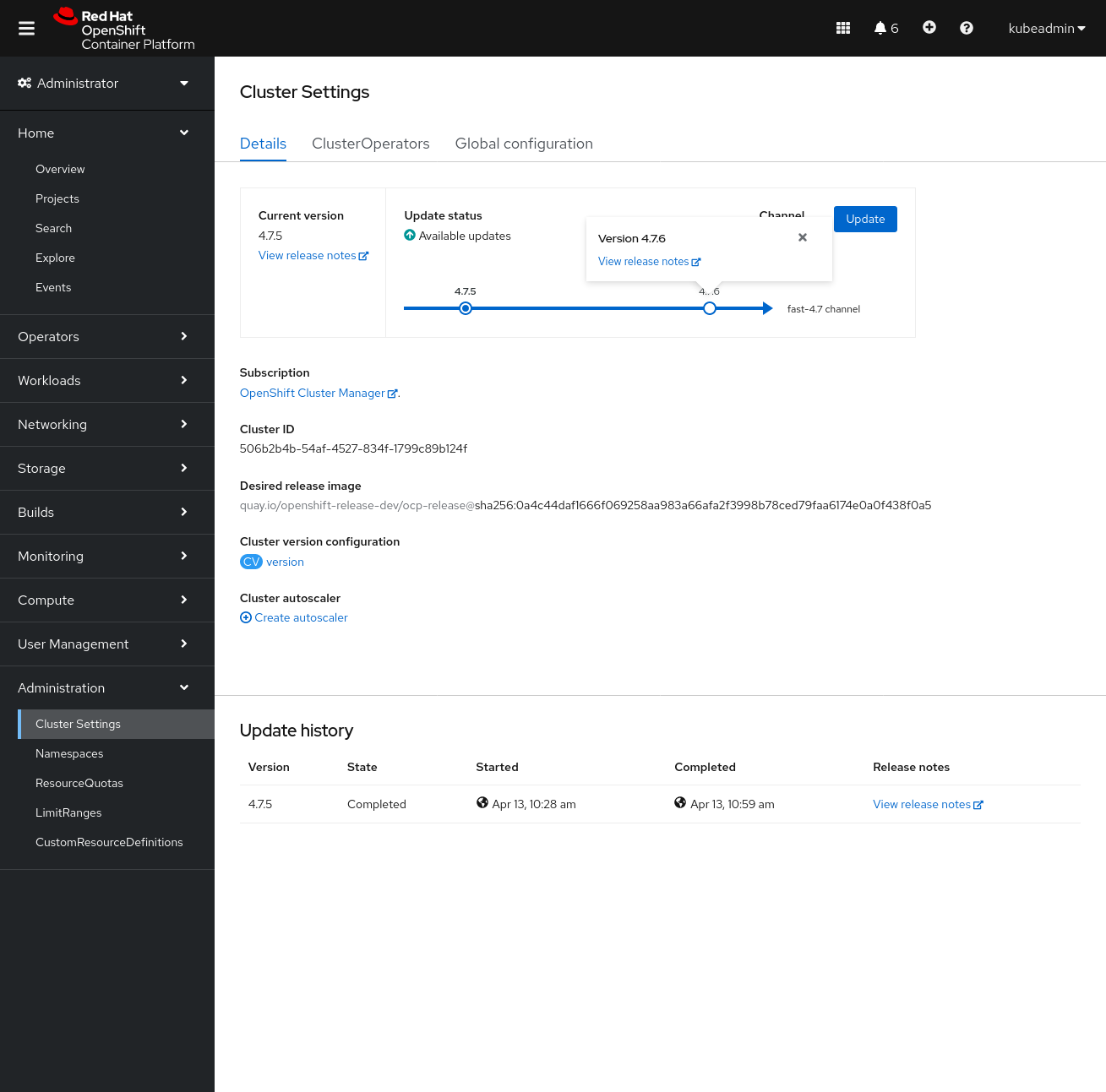
To read the release notes of the new version, click on the target version and follow the link:
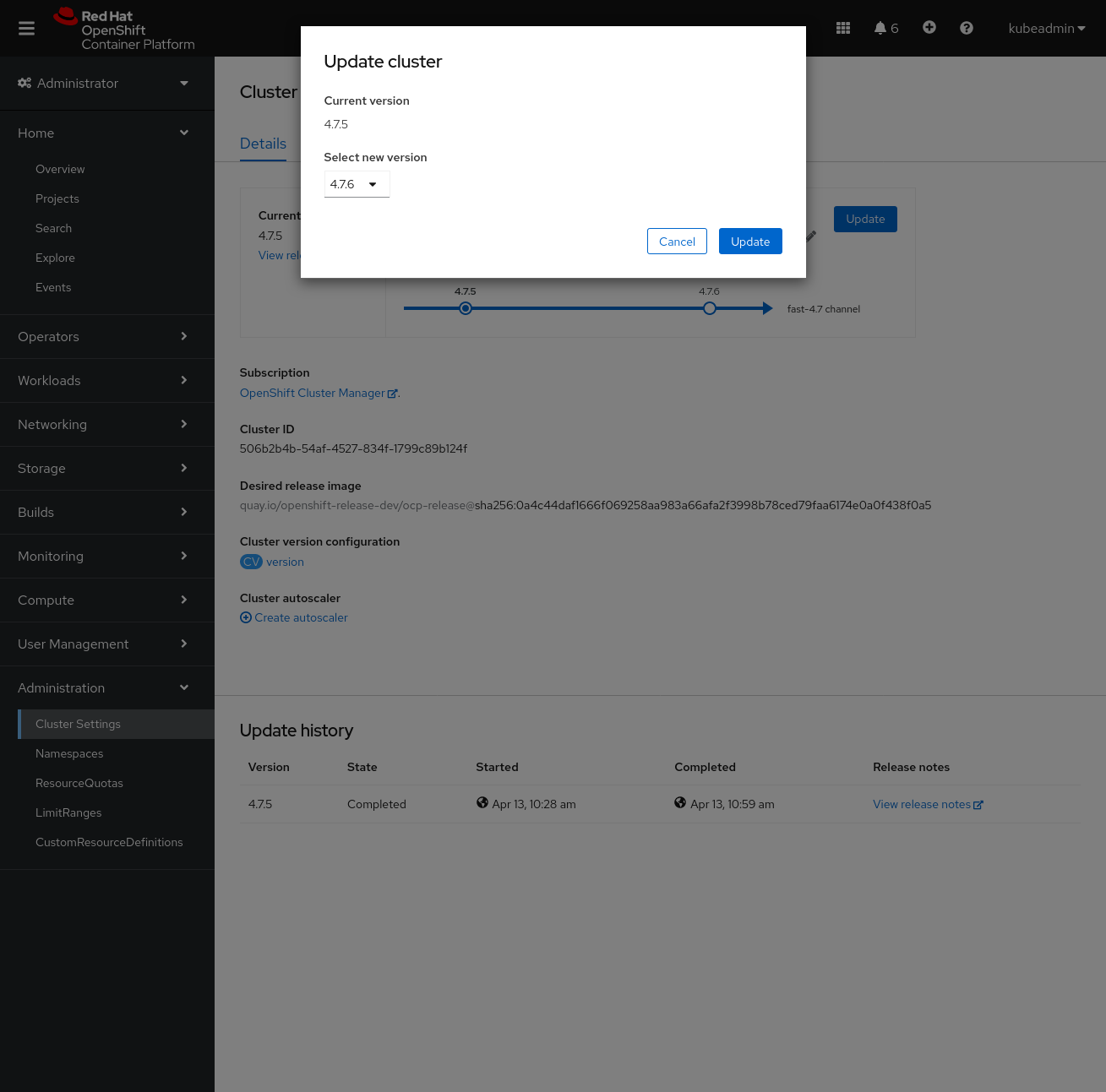
The update process from the web console is pretty straightforward. To start the update, all you have to do is press two buttons.
Click the update button and confirm the update to the target version by again clicking on the update button:
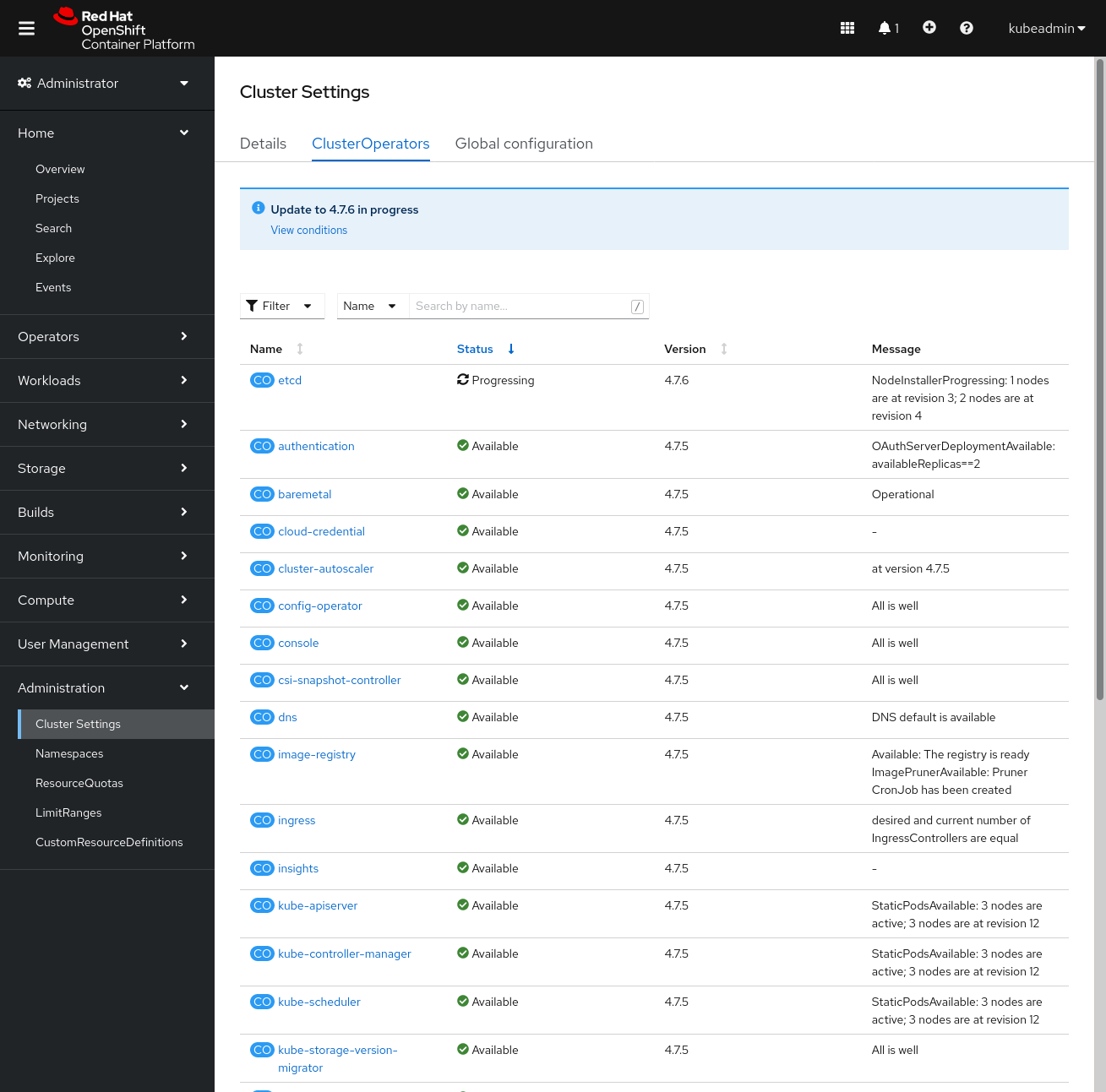
The update process will start updating the cluster operators:
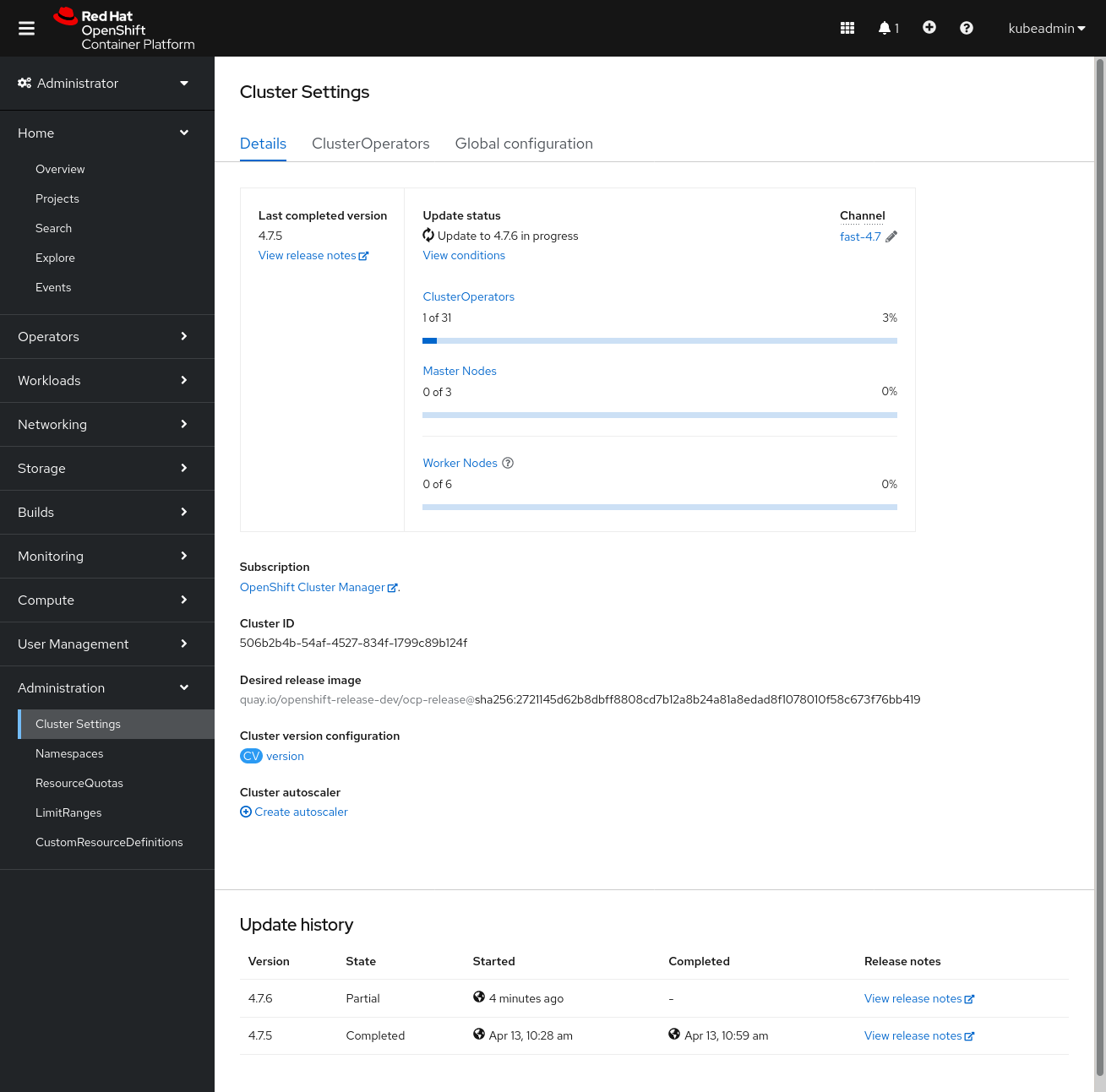
You can see more details in the second tab:
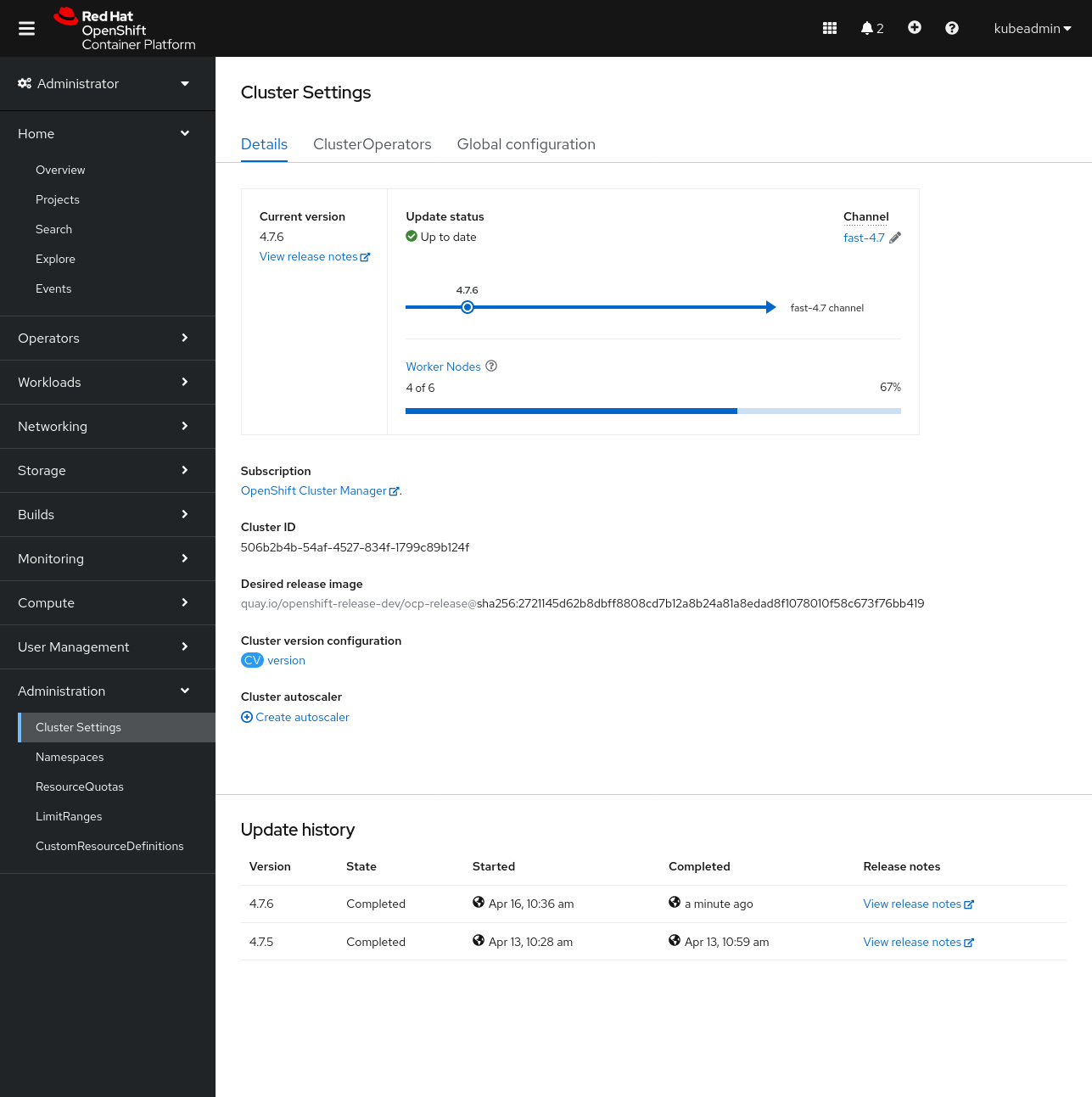
Worker nodes may continue to update after the update of the masters and cluster operators is complete:
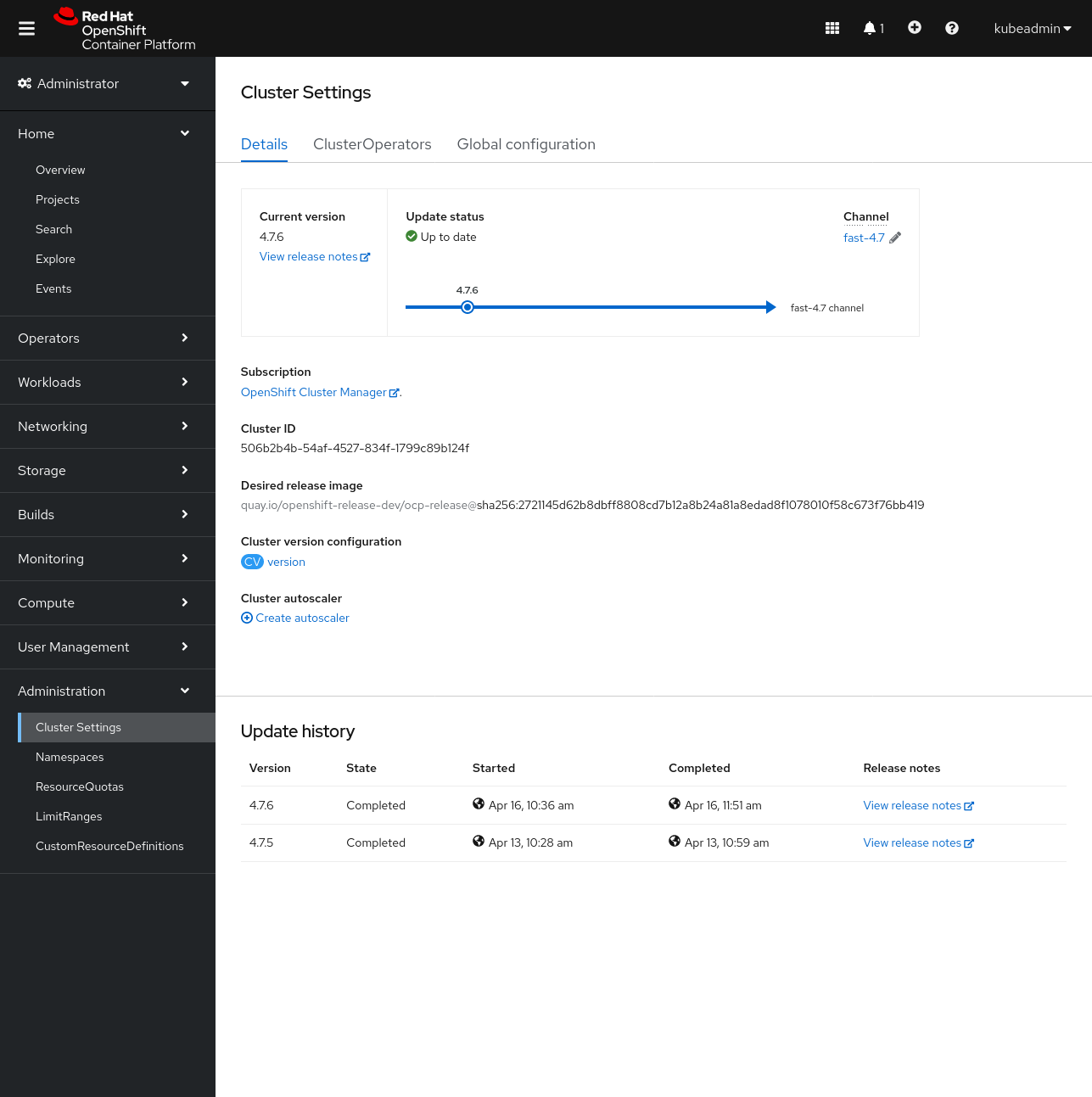
Finally, the update is completed:
Updating the cluster from the CLI
Before starting the update, ensure that your cluster is available by looking at the clusterversion resource.
Hints
oc get clusterversion
Example output:
NAME      VERSION   AVAILABLE   PROGRESSING   SINCE   STATUS
version   4.7.5     True        False         2d23h   Cluster version is 4.7.5
You can check the available updates by running the oc adm upgrade command without any parameters:
oc adm upgrade
Example output:
Cluster version is 4.7.5

Updates:

VERSION IMAGE
4.7.6   quay.io/openshift-release-dev/ocp-release@sha256:2721145d62b8dbff8808cd7b12a8b24a81a8edad8f1078010f58c673f76bb419
Warning
You can only update to one of the available target versions. Do not force the update to an unsupported version, since it could render your cluster useless.Starting the update process depends on what we want to do. We have two options:
- To update to the latest version:
oc adm upgrade --to-latest=true
- To update to a specific version:
oc adm upgrade --to=<version>
You can track the progress of the update by checking the history of the output of the clusterversion:
oc get clusterversion -o json|jq ".items[0].status.history"
Example output:
[
  {
    "completionTime": null,
    "image": "quay.io/openshift-release-dev/ocp-release@sha256:2721145d62b8dbff8808cd7b12a8b24a81a8edad8f1078010f58c673f76bb419",
    "startedTime": "2021-04-16T08:36:21Z",
    "state": "Partial",
    "verified": false,
    "version": "4.7.6"
  },
  {
    "completionTime": "2021-04-13T08:59:49Z",
    "image": "quay.io/openshift-release-dev/ocp-release@sha256:0a4c44daf1666f069258aa983a66afa2f3998b78ced79faa6174e0a0f438f0a5",
    "startedTime": "2021-04-13T08:28:43Z",
    "state": "Completed",
    "verified": false,
    "version": "4.7.5"
  }
]
You can also check the progress of the update by tracking the status of the ClusterOperators.
Hints
oc get clusteroperators
Example output:
NAME                                       VERSION   AVAILABLE   PROGRESSING   DEGRADED   SINCE
authentication                             4.7.5     True        False         False      148m
baremetal                                  4.7.5     True        False         False      3d
cloud-credential                           4.7.5     True        False         False      3d
cluster-autoscaler                         4.7.5     True        False         False      3d
config-operator                            4.7.6     True        False         False      3d
console                                    4.7.5     True        False         False      2d21h
csi-snapshot-controller                    4.7.5     True        False         False      3d
dns                                        4.7.5     True        False         False      3d
etcd                                       4.7.6     True        False         False      3d
image-registry                             4.7.5     True        False         False      3d
ingress                                    4.7.5     True        False         False      3d
insights                                   4.7.5     True        False         False      3d
kube-apiserver                             4.7.6     True        False         False      3d
kube-controller-manager                    4.7.6     True        False         False      3d
kube-scheduler                             4.7.6     True        False         False      3d
kube-storage-version-migrator              4.7.5     True        False         False      3d
machine-api                                4.7.6     True        False         False      3d
machine-approver                           4.7.5     True        False         False      3d
machine-config                             4.7.5     True        False         False      3d
marketplace                                4.7.5     True        False         False      3d
monitoring                                 4.7.5     True        False         False      74m
network                                    4.7.5     True        False         False      3d
node-tuning                                4.7.5     True        False         False      3d
openshift-apiserver                        4.7.6     True        False         True       3d
openshift-controller-manager               4.7.5     True        False         False      3d
openshift-samples                          4.7.5     True        False         False      3d
operator-lifecycle-manager                 4.7.5     True        False         False      3d
operator-lifecycle-manager-catalog         4.7.5     True        False         False      3d
operator-lifecycle-manager-packageserver   4.7.5     True        False         False      3d
service-ca                                 4.7.5     True        False         False      3d
storage                                    4.7.5     True        False         False      3d
Note
In the example output above you can see that the openshift-apiserver ClusterOperator is already reporting the new version, but is currently in a degraded state. This is expected behaviour during the update process, so no need to worry.
After all cluster operators are rolled out, the master and worker nodes are updated. The machine config operator sequentially cordons the nodes, applies the new configuration and restarts the Kubelet service.
Check the status of the nodes to see the process.
Hints
oc get nodes
Example output:
NAME                                          STATUS                     ROLES          AGE    VERSION
ip-10-0-130-69.eu-north-1.compute.internal    Ready,SchedulingDisabled   infra,worker   43h    v1.20.0+bafe72f
ip-10-0-139-81.eu-north-1.compute.internal    Ready                      worker         3d     v1.20.0+bafe72f
ip-10-0-154-185.eu-north-1.compute.internal   Ready                      infra,worker   43h    v1.20.0+bafe72f
ip-10-0-154-3.eu-north-1.compute.internal     Ready                      infra,worker   43h    v1.20.0+bafe72f
ip-10-0-155-28.eu-north-1.compute.internal    Ready,SchedulingDisabled   master         3d1h   v1.20.0+bafe72f
ip-10-0-173-170.eu-north-1.compute.internal   Ready                      worker         3d     v1.20.0+bafe72f
ip-10-0-184-171.eu-north-1.compute.internal   Ready                      master         3d1h   v1.20.0+bafe72f
ip-10-0-195-93.eu-north-1.compute.internal    Ready                      worker         3d     v1.20.0+bafe72f
ip-10-0-212-27.eu-north-1.compute.internal    Ready                      master         3d1h   v1.20.0+bafe72f
Note
By default, only one machine per pool is allowed to be unavailable during the update process. For a larger cluster, this can take a long time for the configuration change to be reflected. We can alter this behaviour by changing themaxUnavailable value in the respective nodes’ MachineConfigPool.